These are some clever hidden features in iPhone's Notes app that you don't know about
Published on Jan 19, 2026 at 3:43 AM (UTC+4)
by Claire Reid
Last updated on Jan 19, 2026 at 1:10 PM (UTC+4)
Edited by
Kate Bain

If you’re an iPhone or iPad Notes app user, you might not be getting the most out of the app, because there are a bunch of very handy, lesser-known features.
Notes was launched with the very first Apple iPhone back in 2007.
Since then, it’s become a useful tool to write out your shopping lists, and for celebrities to tap out their public apologies.
But there’s more to it than that; in fact, the little app has a host of ‘hidden’ features you might be completely unaware of.
DISCOVER SBX CARS – The global premium auction platform powered by Supercar Blondie
The iPhone Notes app has some lesser-known features
When it was introduced more than two decades ago, the Notes app was pretty basic.
But Apple has been quietly updating and upgrading the technology, so it does a lot more than you might think – from transcribing phone calls to functioning as a document scanner.
For starters, did you know you can easily organize all your notes into Smart Folders based on criteria you set?
Simply tap the folder icon, give it a name, and then hit Make Into Smart Folder.
Then choose some filters, for example, tags, dates, mentions, and then choose how many of these criteria a note needs to match before it automatically appears inside the Smart Folder.
And to keep things safe, you can set a passcode on your notes, so no one else can gain access to them. Select the note you’d like to protect, hit the three dots, and then choose Lock – this will lock the note and mean it can only be opened via a passcode, FaceID, or TouchID.
While you might already be using your Notes app to make lists, it actually comes with a checklist option, which allows you to mark things off your list as you go.
Once you’ve opened a note, you can hit the checkmark icon, and then everything you add to the list will appear with a small circle next to it.
When the task is complete, tap the circle to mark it as done, and it’ll drop down the list, leaving your unfinished task at the top.
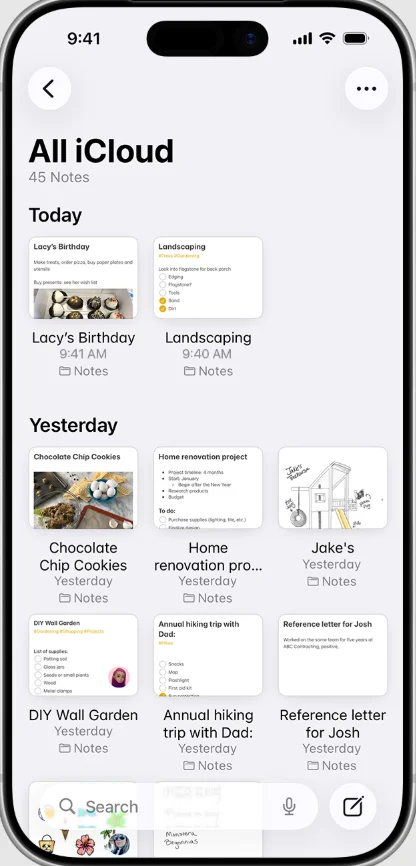

Another very useful feature is the ability to link your notes to each other, as well as to websites or other information, so you can easily jump between notes without having to search.
In your note, highlight a part of the text and hit Add Link, and then add in what you’d like to link it to: one of your other saved notes, or a web page, and the text will turn into a clickable link.
You can also scan documents straight into the Notes app by hitting the paperclip icon and then selecting scan, and you can easily view all attachments you’ve uploaded to Notes – from scanned documents to photos – by opening up the three-dot menu and pushing ‘View Attachments’.
Add in Apple Intelligence and things get even more interesting
Apple Intelligence is helping to make Notes more useful than ever, but you’ll need an iPhone 15 Pro or newer running on iOS 18.1 or later.
AI will allow you to transcribe your phone calls and then save them into a Notes app. While on a call, tap the three dots and hit Call Recording. When your call is finished, a transcription of the call will appear in your Notes app.
You can use AI to help rewrite your notes, which can be used to change the tone – so if you’re struggling to write up a professional-sounding email, you can write what you want to say and then go into the Writing Tools option and select Rewrite and choose from a selection of styles.
It can also be used to proofread your text and sort out any spelling or grammar mistakes.
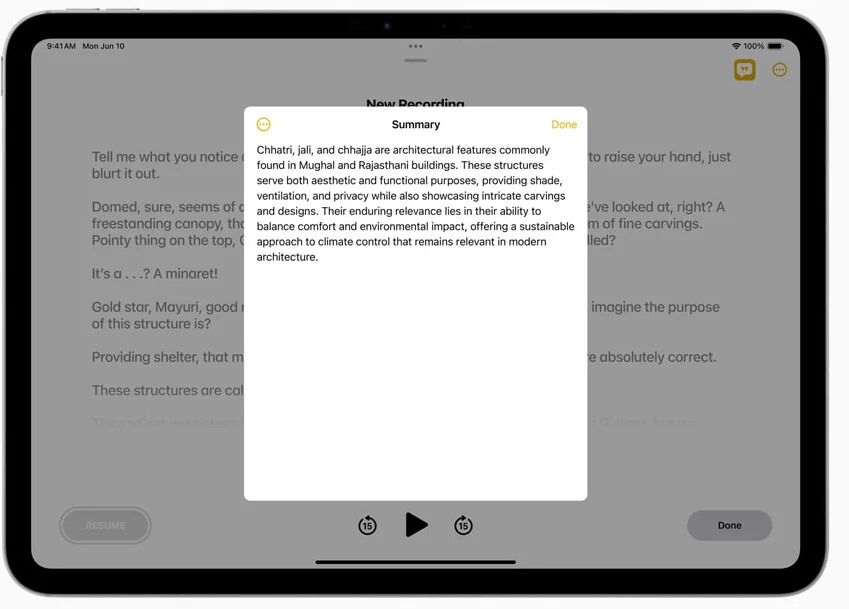
Longer notes can be condensed and summarized with AI, making large slabs of text more digestible too.
DISCOVER SBX CARS: The global premium car auction platform powered by Supercar Blondie
With a background in both local and national press in the UK, Claire has covered a range of topics, including technology, gaming, and cryptocurrency, since joining the editorial team at Supercar Blondie in May 2024. Her ability to be first to a story has been integral to making SB’s coverage of scientific discovery, AI, and global tech news a slick 24/7 operation.