iOS 26 changed how Safari looks and this is how to change it back if you don't like it
Published on Jan 23, 2026 at 2:26 AM (UTC+4)
by Keelin McNamara
Last updated on Jan 22, 2026 at 9:26 PM (UTC+4)
Edited by
Emma Matthews
iOS 26 makes some massive changes to Apple products, including how Safari looks.
But not everybody loved the changes that the update brought.
Fear not, however, because it turns out that it actually can be changed.
And this is how you can change it back if you don’t like it.
DISCOVER SBX CARS: The global premium car auction platform powered by Supercar Blondie
iOS 26 brings updates – but not everyone is a fan
iOS 26 was the latest in a series of major updates for Apple products.
It is the 19th, and current major release of the operating system.
Like most major iOS updates, iOS 26 introduced some big updates.
One of the most noticeable was the addition of the Liquid Glass display.
It will introduce rounded, translucent elements with the optical qualities of glass.
Other changes were made to the home screen, the lock screen, and the battery.
But one of the biggest changes was to do with Safari itself.
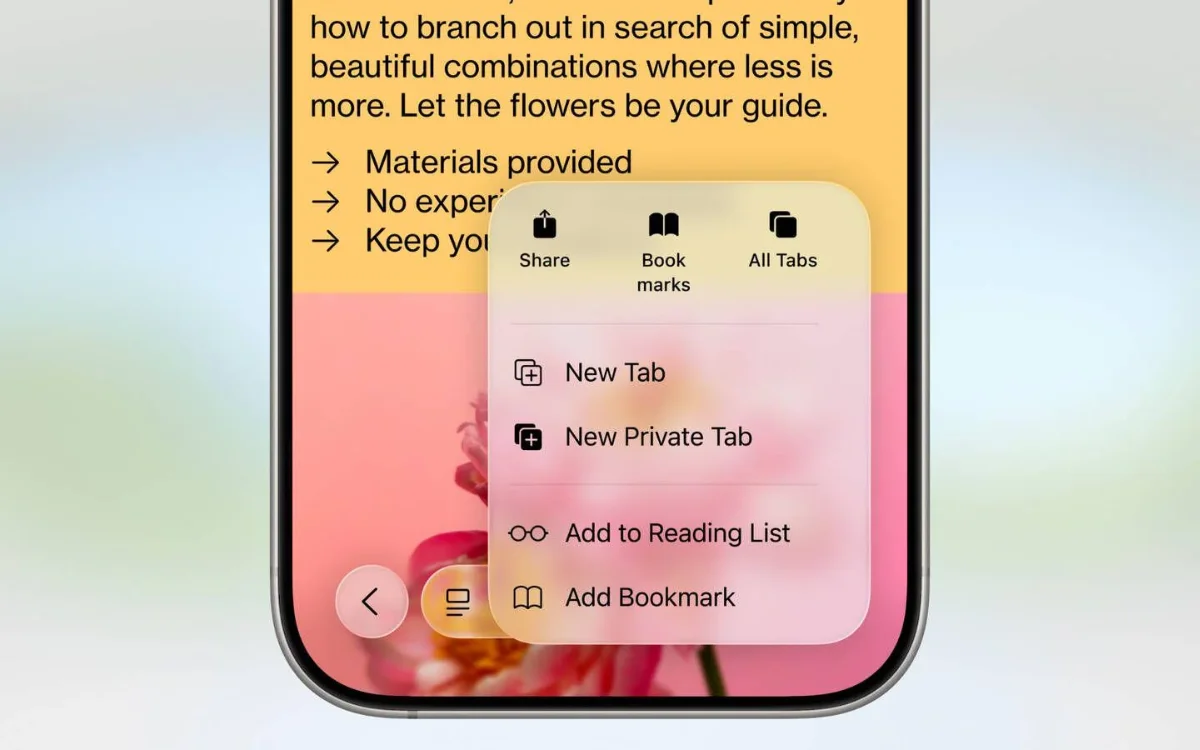
Apple’s latest update moved the Safari search bar to the bottom instead of the top, and wasn’t exactly received well.
Many people hated the change, believing it to be completely unnecessary.
Apple justified the change by arguing that an increased amount of screen is available to perform different tasks and functions.
YouTuber shows how you can change Safari
If you happen to be in the group that hates the change, then you’re in luck.
Because one YouTuber has revealed how to change it back if you don’t like it.
Proper Honest Tech is the YouTube channel in question.
And the channel has just revealed how to reverse the changes caused by the update.
“A lot of people aren’t fans of this,” the presenter explains.
But if you want to change it, then the process is simple.
First, go into your settings and scroll all the way down until you find ‘Apps.’

Tap on ‘Apps’ and keep scrolling until you find the Safari app.
Scroll all the way down again, and you will find three options.
‘Compact Tab’ is now set as the default, but you can change to two other layouts.
Just pick whichever layout you prefer and which suits you best.