Apple recently added these new features to CarPlay and you may not have realized
Published on Jan 27, 2026 at 11:16 AM (UTC+4)
by Jason Fan
Last updated on Jan 27, 2026 at 5:01 PM (UTC+4)
Edited by
Emma Matthews

New Apple CarPlay features have landed over the past few months, and they quietly make everyday driving tech smarter.
Listening to their customers, Apple has rolled out a series of updates that go far beyond minor bug fixes.
With major visual tweaks, smarter notifications, and deeper system integration in some vehicles, CarPlay has upgraded itself significantly.
Rather than simply being a phone mirror, it now feels more like a full operating system.
SBX CARS – View live supercar auctions powered by Supercar Blondie
These tweaks are small but useful
One of the biggest shifts is the arrival of Widgets and Live Activities in CarPlay.
Drivers can now view multiple widgets at once, with layouts expanding to show more information at a glance.
That means quick access to music controls, calendar appointments, and navigation shortcuts without diving through menus.
Live Activities go a step further, letting you track things like food deliveries, sports scores, or a family member’s flight in real time, all from the dashboard.
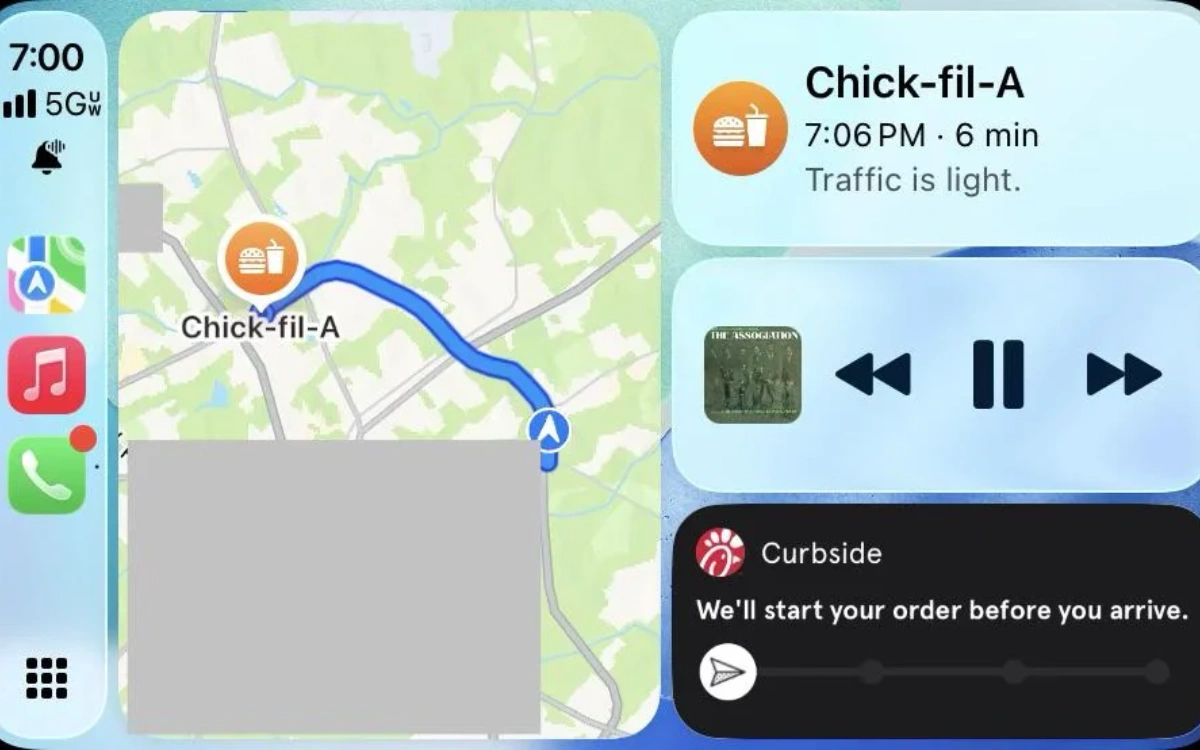
It is a subtle change that reduces taps and keeps your attention on the road.
Notifications have also been rethought.
Incoming calls no longer hijack the entire screen, instead appearing as compact alerts that do not block navigation.
Messages are cleaner and less intrusive, and new filtering tools help reduce spam or unknown contacts.
Apple has even brought Tapbacks to Messages in CarPlay, allowing quick emoji-style replies that were previously missing from the in-car experience.
Small updates like unpinning chats add privacy and help keep conversations organized while passengers are in the car.
Apple CarPlay Ultra is also available for select vehicles
Visually, the system now uses Apple’s Liquid Glass design language.
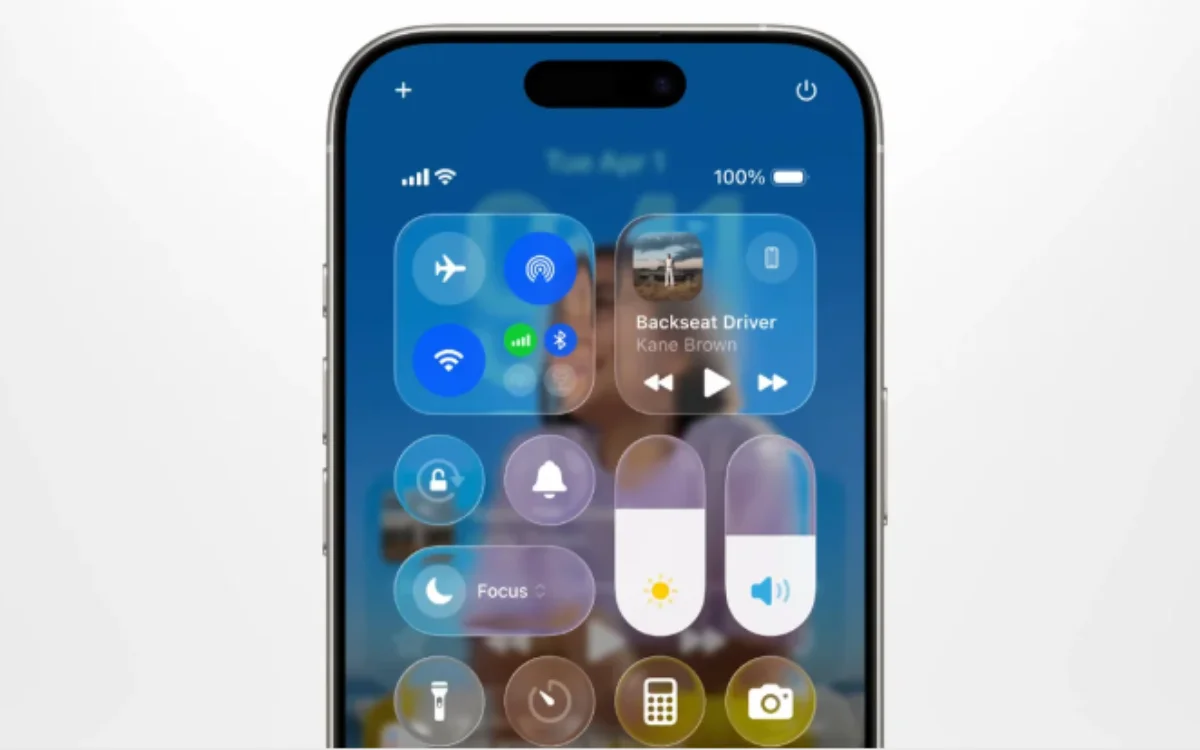
Icons, menus, and interface elements look more layered and fluid, with subtle reflections and smoother transitions.
The goal is clarity, making content easier to read quickly while driving.
New icon styles and wallpapers that adapt to light and dark modes further modernize the look, giving CarPlay its biggest visual refresh in years.
Of course, if you don’t like the new display, there are ways around it.
Another major addition is video over AirPlay, which works when the vehicle is parked.
Drivers can stream video from supported apps to the infotainment screen, turning rest stops or waiting periods into entertainment time.
Safety restrictions ensure playback is disabled while driving.
For owners of select high-end vehicles, CarPlay Ultra pushes things even further by integrating across multiple vehicle displays.
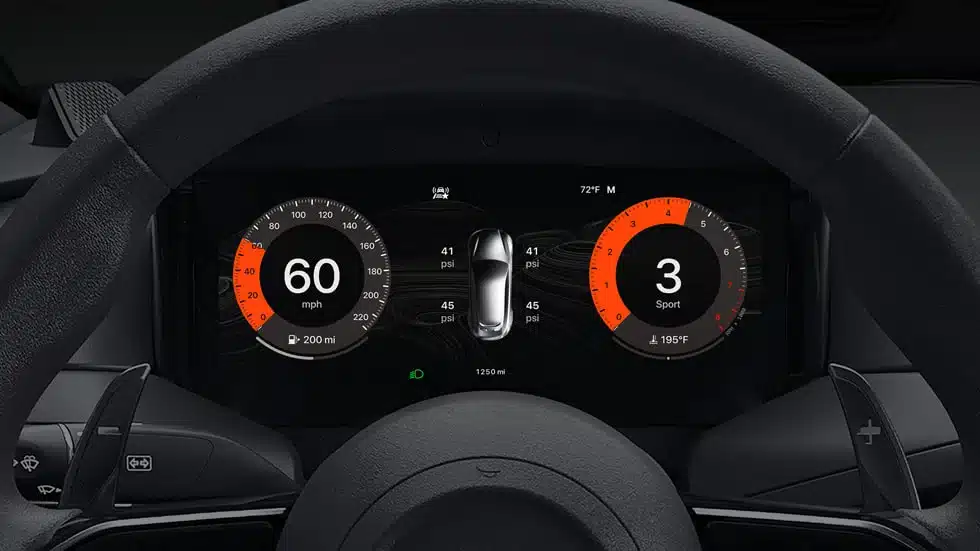
Widgets, design elements, and system controls extend beyond the center screen, making CarPlay feel like the digital heart of the car rather than just an add-on.
However, not everyone is a fan of Apple CarPlay Ultra.
Ford CEO Jim Farley isn’t quite sold on Apple’s new offering, and he’d previously discussed what he would change about it.
DISCOVER SBX CARS: The global premium car auction platform powered by Supercar Blondie