There's a face-blurring feature which is hidden within your iPhone's Photos app that's very useful
Published on Feb 09, 2026 at 11:59 AM (UTC-5)
by Alessandro Renesis
Last updated on Feb 10, 2026 at 5:43 AM (UTC-5)
Edited by
Amelia Jean Hershman-Jones
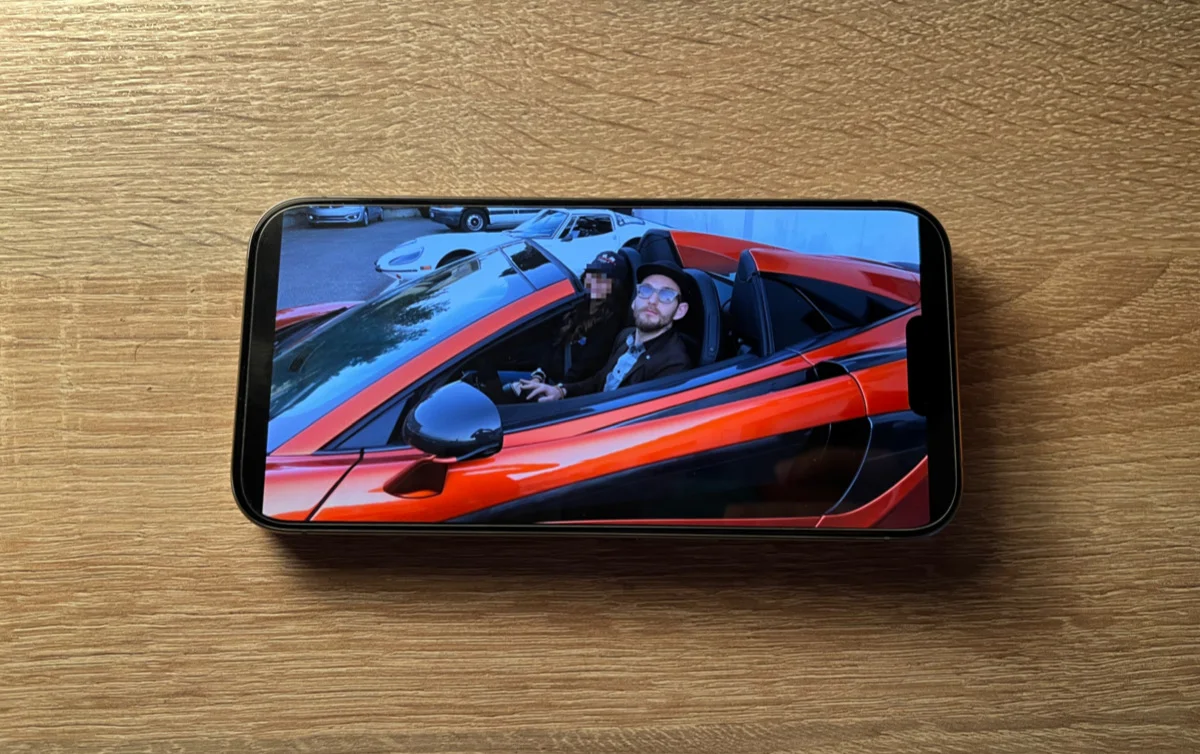

Apple has been adding features to the Photos app on Apple iPhone and iPad for years, including some that people may not know about.
For example, there’s a relatively new feature that’s been introduced to address privacy concerns.
Enhanced by AI, this feature allows you to do something that might be useful and, on occasion, maybe even legally required.
It’s not hidden, but the way Apple worded it might be the reason people don’t know about it.
DISCOVER SBX CARS: The global premium car auction platform powered by Supercar Blondie
We’ve come a long way
We should probably start with a reminder that the first iPhone didn’t even have a front camera or a video camera.
These days, even the base Apple iPhone has a camera that’s almost as good as a professional camera.
You can also edit pictures in Photos and make different changes, including some pretty advanced ones.
Apple has been tinkering with these features for ages, mainly because the tech giant always tries absolutely everything it can to lock you into their ecosystem and keep you from using third-party apps.
Obviously, depending on what you use your camera for, you may still need photo editing apps.
But for the vast majority of us, what you can do in Photos is already good enough.
You can even blur people’s faces.
This is how you can blur someone’s face with your iPhone’s Photos app
Not long ago, Apple introduced a feature that allows your device to recognize faces in Photos.
This generated some inevitable privacy concerns, and so Apple added another feature that allows you to blur faces.
When you open an image, all you have to do is select ‘edit’ and then ‘clean up’.
At that point, you’ll be able to use a brush around the face you want to blur, and the phone will do the rest automatically, with a message on screen that reads ‘Identity protection applied’.
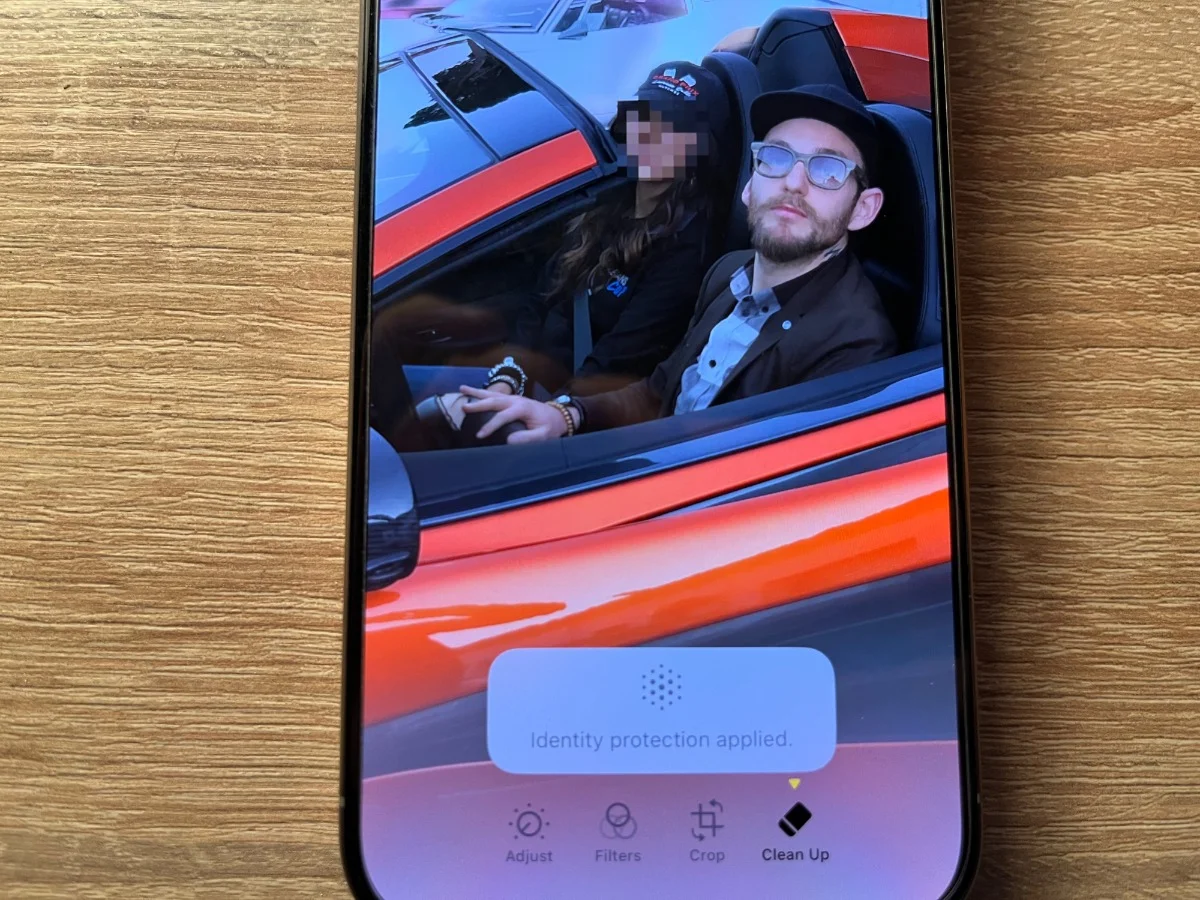
The name probably explains why people aren’t familiar with this feature.
‘Cleaning up’ an image won’t automatically make you think you can use this feature to blur faces or digitally remove elements from the frame.
We should also point out that this edit can be undone at any point, but only by you.
If you share the picture with someone else, they won’t be able to undo it with their phone.
Alessandro is an automotive journalist with 10 years of experience covering supercars, automotive history, emerging vehicle technology, and luxury transportation. He wrote the first article published on SupercarBlondie.com when the website launched in 2022 and has since built a reputation for insightful reporting across the automotive and transportation industries. His expertise is grounded in hands-on experience. Alessandro has driven every Tesla model ever produced, from the original Roadster to the Cybertruck, and regularly covers the latest developments in electric vehicles and automotive innovation. His passion for transportation extends beyond cars, he has even flown a Boeing 787 Dreamliner simulator in Addis Ababa, Ethiopia. His reporting spans everything from classic American muscle cars and rare automotive discoveries to luxury yachts, private aircraft, high-end watches, and cutting-edge vehicle technology. Known for his deep knowledge of automotive history and ability to uncover the stories behind iconic vehicles, Alessandro brings readers a blend of historical context, technical expertise, and first-hand experience.




