Not many drivers know about this hidden iPhone feature that can help prevent a common driving ailment
Published on Apr 15, 2026 at 8:59 AM (UTC-4)
by Ben Thompson
Last updated on Apr 16, 2026 at 4:10 AM (UTC-4)
Edited by
Emma Matthews
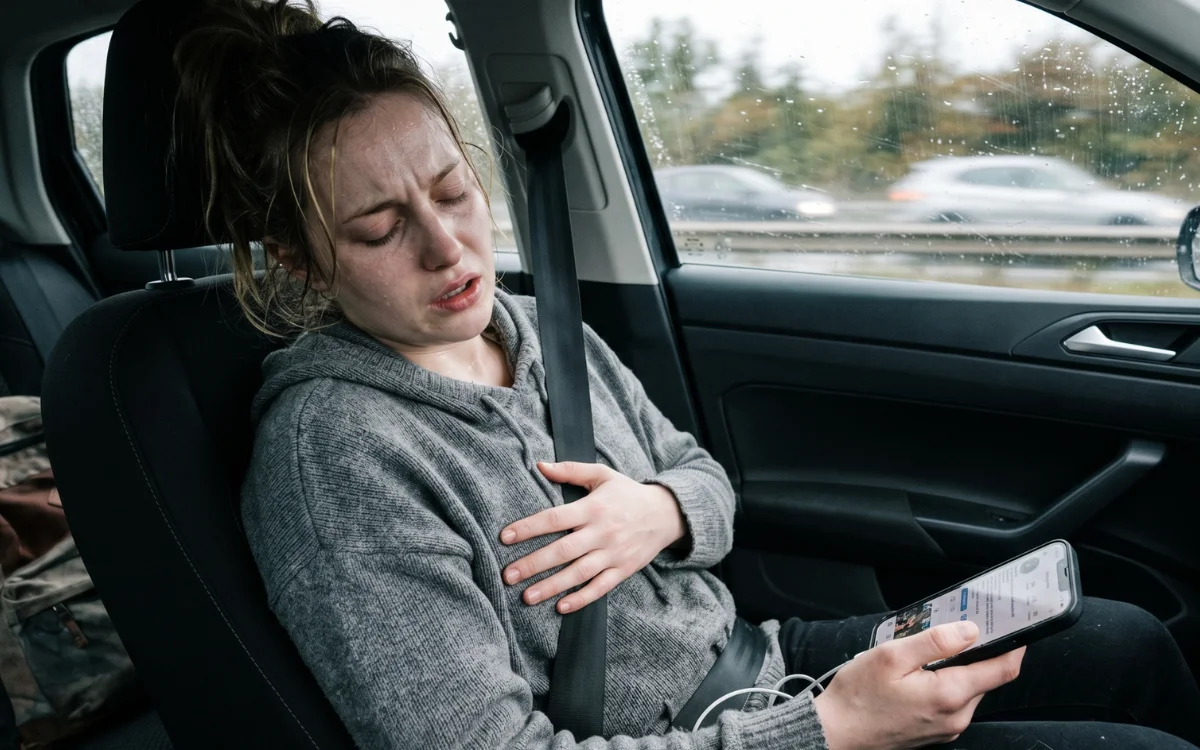

Nobody likes feeling queasy behind the wheel, but did you know there was a hidden iPhone feature that can prevent you from experiencing a common driving ailment?
If you’ve ever experienced motion sickness, you’ll know what a nightmare that can be.
And it won’t be much fun for other people in the car either.
Fortunately, this often overlooked iPhone feature is on hand to reduce nausea.
Experienced motion sickness in the car? This hidden iPhone feature will help out massively
Believe it or not, car sickness is more common than you might think.
One international survey found that 46 percent of car passengers experienced some degree of it within the past five years, with two in three experiencing it at some point in their lives.
Research from the UK put the figure at around 18 percent of people, with 50 percent of motion sickness pinpointed as occurring while using a phone or a tablet.
If this is something you’ve struggled with, keep reading because there’s an iPhone feature that will help out you a ton.
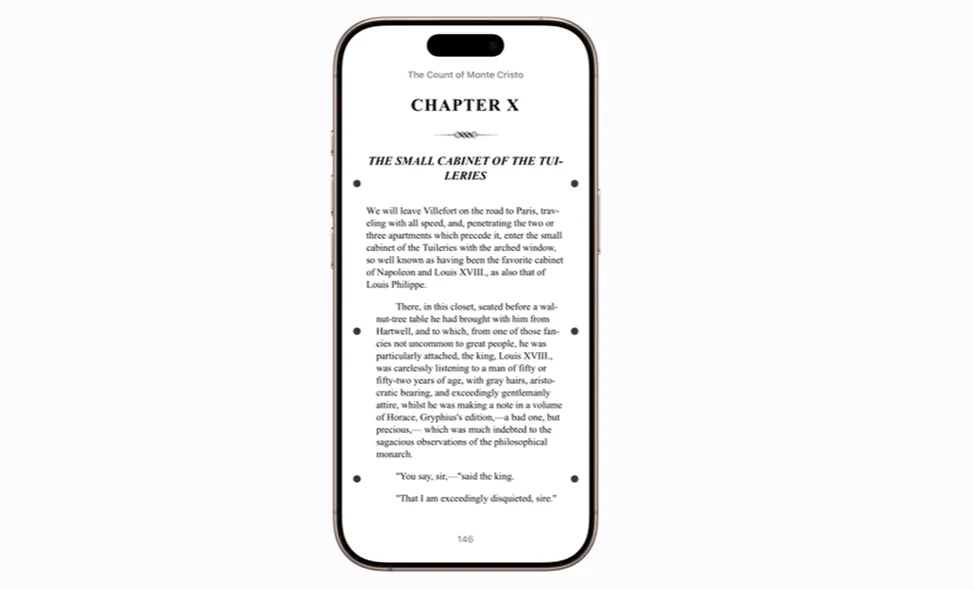
Head over to Accessibility and click on Motion.
From there, you’ll see the option to Show Vehicle Motion Cues, and you click On.
At this point, dots will appear on both sides of the screen.
When a vehicle is in motion, these dots will move accordingly.
“These represent changes in vehicle motion, which can help to reduce sensory conflict, without interfering with the main content you’re viewing,” an Apple Support video explained.
Over on Reddit, people seemed to appreciate this feature.
“I will give this a try. I get motion sickness really bad,” one user lamented.
“This definitely works for me. When we drive to my parents’ house, there are a bunch of roundabouts. If I would be looking at my phone when going through them, it would be rough. This feature definitely helps,” another said.
“I am going to try this the next time I am a passenger princess,” a third Redditor commented.
But how did this feature work in practice?
Steven Aquino is a freelance tech journalist who covers accessibility in technology.
He had positive things to say about the feature.
“Features like Vehicle Motion Cues are a prime example of accessibility truly being for everyone,” he told Supercar Blondie.
“Apple is widely regarded as the undisputed leader in the industry at building assistive technologies – as one friend recently put it, Apple not only sets the bar… they ARE the bar – and the biggest companies, Amazon, Google, etc, follow in their footsteps with their own work in this realm.”
For Lance Whitney, another freelance journalist in the tech sphere, it was more of a mixed bag.
“It’s hit and miss. Sometimes it helps; sometimes not,” he explained to Supercar Blondie.
“It seems to depend on how bad your motion sickness is. If it’s mild, then the feature is able to help.
“I think it’s still worth trying, especially since everyone’s mileage may vary.”
Related

There’s so many cool features that can elevate your driving experience
The great thing about modern technology is that it always feels like there’s something left to discover.
For example, did you know these Apple CarPlay voice commands are usually turned off by default?

And that’s not forgetting Apple Maps, which has a surprisingly simple setting to address an issue that’s been bugging people for years.
Ben joined Supercar Blondie in February 2025 after being published by international organizations including LADbible, The Sun, the New York Post, and the Daily Mail. He covers supercars, rare and collectible vehicles, aviation, luxury assets, and the fascinating people behind them. His reporting has explored everything from seven-figure supercars and historic Ferrari collections to unusual aircraft adventures and extraordinary automotive discoveries from around the world. Ben has also gained first-hand insight into vehicle craftsmanship and customization, including visiting specialist workshops to see bespoke vehicles up close.