Former Apple employee shares 'life-changing' iPhone keyboard hack which makes it much easier to text with one hand
Published on May 15, 2026 at 3:53 AM (UTC-4)
by Daisy Edwards
Last updated on May 22, 2026 at 4:39 AM (UTC-4)
Edited by
Mason Jones

If you’ve ever nearly dropped your iPhone while trying to stretch your thumb across the keyboard, you’re definitely not alone, but thanks to this former Apple employee, that fear is no more.
This guy has revealed a surprisingly simple iPhone keyboard trick that users are calling ‘life-changing’ because it makes texting with one hand so much easier.
The hack was shared by ex-Apple employee and TikTok creator Tyler Morgan, who regularly posts hidden Apple tips and tricks online for his millions of followers.
And honestly, once you know this feature exists, you’ll wonder why Apple hides it so well.
How to activate one-handed iPhone keyboard
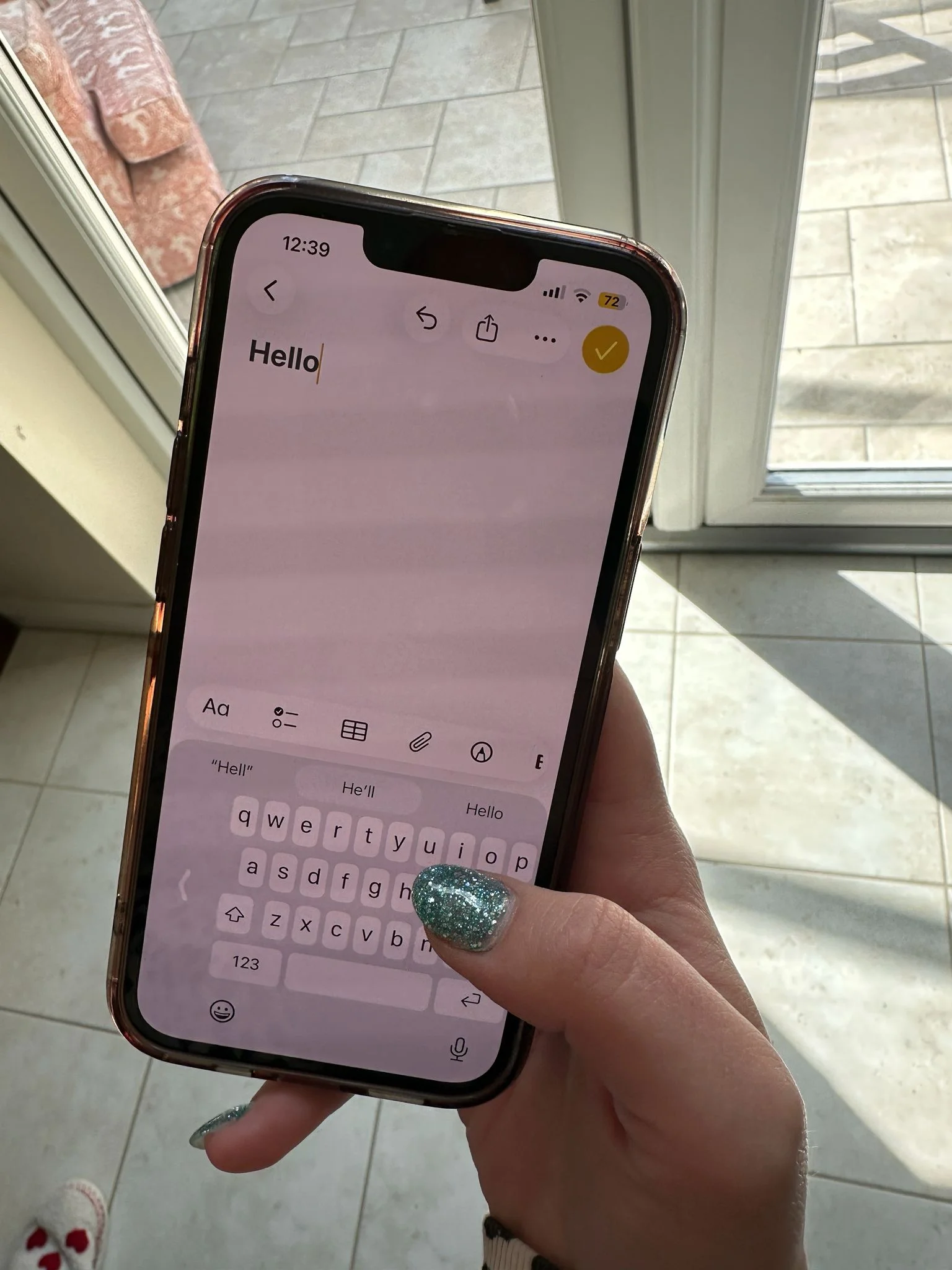
Did you know that your Apple gadgets actually come with a built-in one-handed keyboard mode that shrinks the keyboard and shifts it to either side of the screen?
This was one of the cool life hacks that former Apple employee Tyler Morgan, AKA hitomidocameraroll, showed us on TikTok.
That means you no longer need to perform awkward thumb gymnastics every time you’re replying to a message while carrying coffee, holding onto a train pole, or walking around.
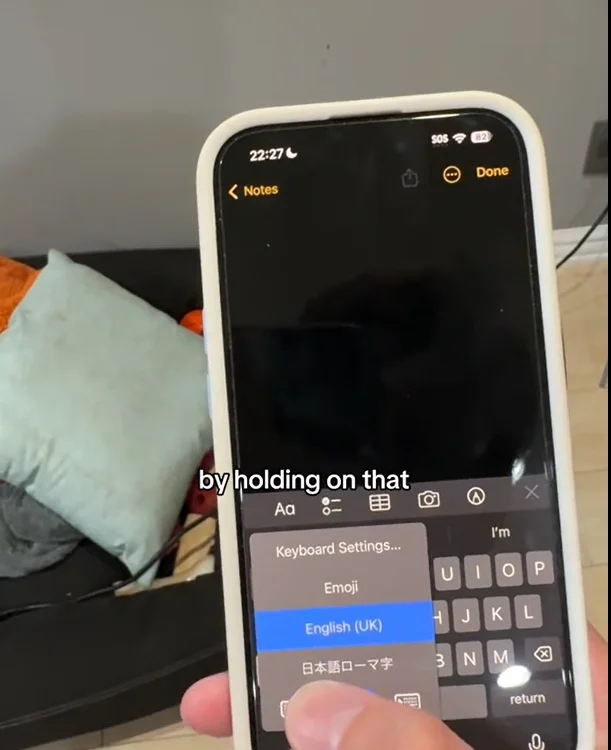
To activate it, users simply need to hold down the emoji or globe icon on the keyboard.
A small menu then appears with three keyboard layout options, including versions that shift the keys to the left or right side of the display.
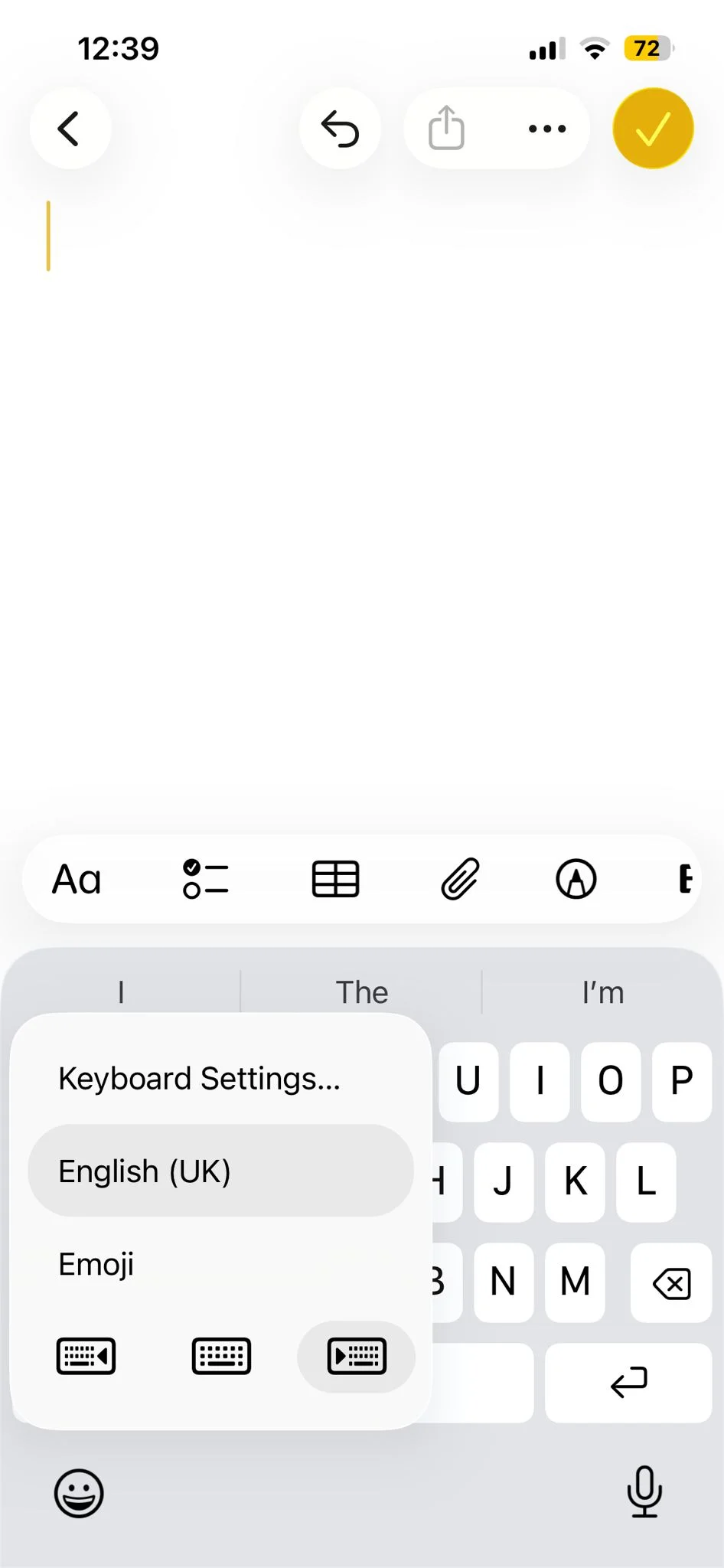
The keyboard instantly becomes much easier to reach with one hand, especially on larger iPhone models like the Pro Max devices.
Plenty of Apple users (including us) admitted that they had absolutely no idea the feature even existed, despite using Apple phones for years.
He had several other useful Apple tricks too
The one-handed keyboard wasn’t the only feature Morgan showed off in his viral videos.
He also revealed that users can hold down the camera shutter button to instantly start recording video without needing to swipe into video mode first.
Another clever trick allows users to turn the space bar into a mini trackpad by pressing and holding it, making it much easier to move the typing cursor around and fix mistakes.
Morgan also reminded users about the classic ‘shake to undo’ feature, which lets you reverse accidental typing deletions simply by shaking the phone.
@hitomidocameraroll How many did you know this time? #apple #iphonetips #iphone #ios #iphonetricks #ios17 #trythis #settings #tech ♬ Golden Hour: Piano Version (Cover) – Andy Morris
And if that wasn’t enough, he pointed out that the iPhone search bar can double as a calculator, saving users from needing to open the calculator app at all.
Considering how many people use their iPhones every single day, it’s pretty wild that some of the most useful features are still hidden in plain sight.
Daisy is a technology and automotive journalist covering artificial intelligence, consumer tech, Apple news, cryptocurrency, emerging technologies, and transportation innovation. Since joining the team in 2025, she has reported on everything from AI-powered startups and major iOS updates to viral car stories and the latest developments shaping transportation and the digital economy. Drawing on her background in automotive journalism and a degree in History and Journalism from Goldsmiths, University of London, Daisy specializes in breaking down complex topics into clear, engaging reporting for a global audience. Her work spans cutting-edge technology, innovative vehicles, and the people driving change across both industries. Daisy has gained first-hand access to some of the world's most talked-about technologies and innovators, including meeting Tesla's Optimus humanoid robot during its first European appearance in London. She has also discussed the future of space exploration with an astronaut, bringing unique insights and real-world perspectives to her coverage of emerging technology.




