This is what the little orange and green dots mean when they pop up on your iPhone screen
Published on Jan 15, 2026 at 6:37 AM (UTC-5)
by Ben Thompson
Last updated on Jan 15, 2026 at 12:31 PM (UTC-5)
Edited by
Mason Jones
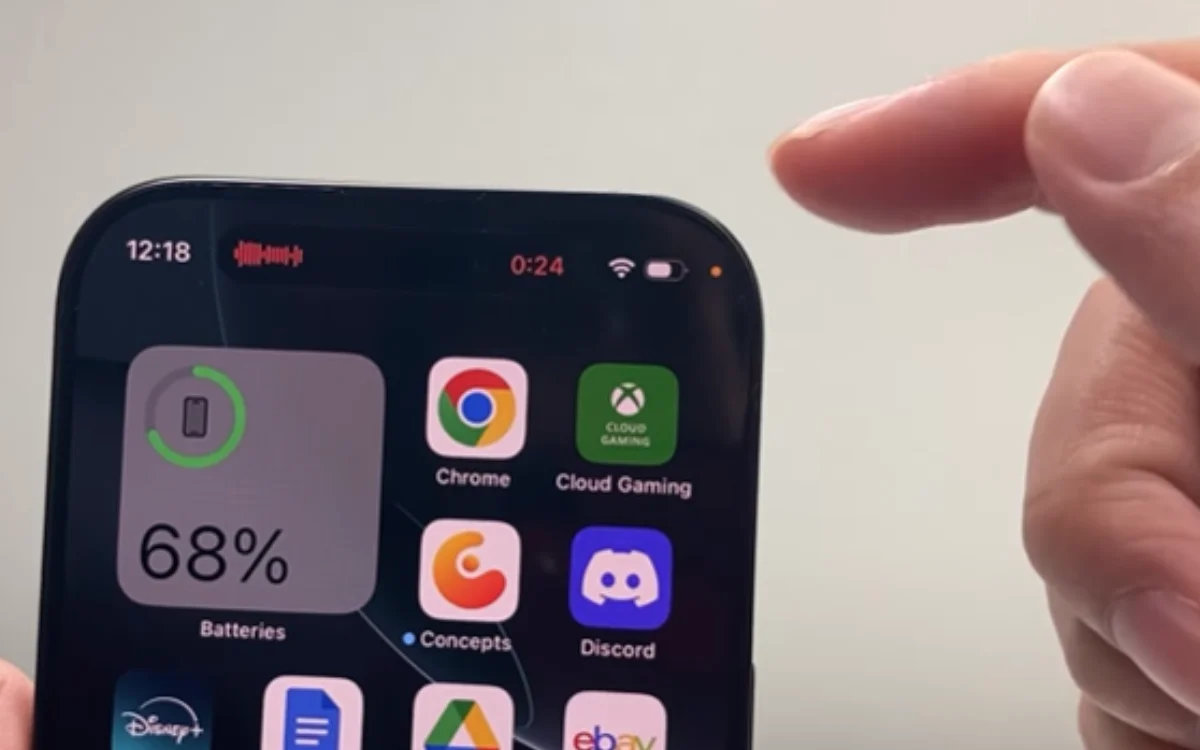

Have you ever wondered what the little orange and green dots that appear on your iPhone screen are for? Here’s the answer.
Many features have come and gone on the various iPhones we’ve seen over the years.
But one seems to have passed by virtually unnoticed – the orange and green dots that occasionally appear in the top corner.
What do they mean? And do you have anything to be worried about when they make an appearance?
EXPLORE SBX CARS – Supercar auctions starting soon powered by Supercar Blondie
Here’s what you need to know about the orange and green dots on your iPhone screen
You’ve likely noticed them at some point or another – the orange and green dots that appear in the top right screen, above the signal, wi-fi, and battery indicators.
But have you ever taken the time to look into their meaning?
“With iOS 14 or later, an orange dot, an orange square or a green dot indicates when the microphone or camera is being used by an app,” Apple explained on its website.
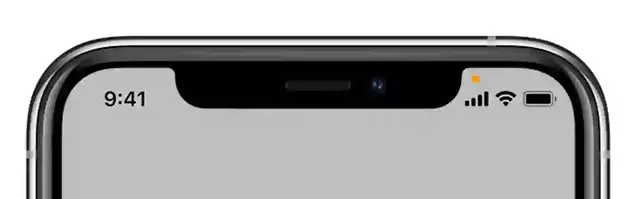
“An orange indicator means the microphone is being used by an app on your iPhone. This indicator appears as an orange square if the Differentiate Without Colour setting is on. To enable Differentiate Without Colour, go to Settings > Accessibility > Display & Text Size.
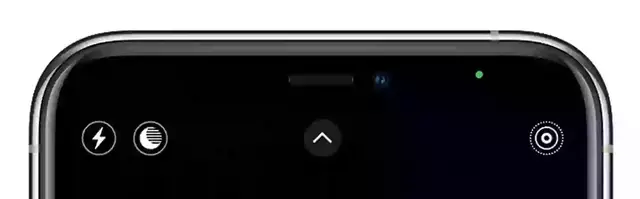
“A green indicator means either the camera or the camera and the microphone are being used by an app on your iPhone.”
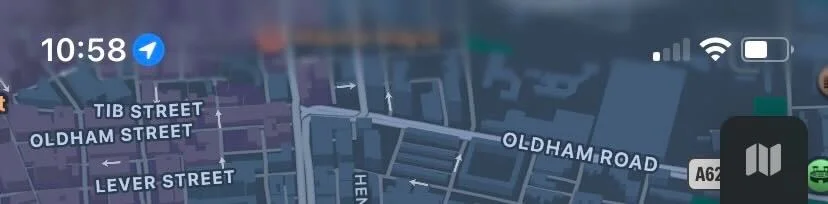
Then there’s the final dot – a blue one with a arrow inside.
“A blue arrow may appear when the app you’re using requests your location,” Apple explained.
So really, these dots are just letting you know an app is using our phone’s resources.
But is there a way of figuring out which app is responsible?
By swiping down and bringing up the Control Center, you’ll be able to see which app is using your camera or microphone.
Related



There’s so much left to learn about our smartphones
There seems to be no shortage of new hacks, tips, and revelations when it comes to our smartphones.
Which is odd, because we spend an awful lot of time with them, don’t we?
For some of us, we might see our own phone screens more than we see our own families.
But there’s been a plethora of information coming out about our gadgets, especially in recent years.
For example, did you know about this hidden setting that can help protect your iPhone should it get stolen?
Or how about that mysterious black dot on your iPhone camera? What’s that for?
There’s even times where common phone habits have been discouraged, despite them being widely thought of as beneficial.
Most people would have thought swiping their apps shut would do their phone’s battery a world of good, but Apple clarified that this wasn’t the case.
Ben joined Supercar Blondie in February 2025 after being published by international organizations including LADbible, The Sun, the New York Post, and the Daily Mail. He covers supercars, rare and collectible vehicles, aviation, luxury assets, and the fascinating people behind them. His reporting has explored everything from seven-figure supercars and historic Ferrari collections to unusual aircraft adventures and extraordinary automotive discoveries from around the world. Ben has also gained first-hand insight into vehicle craftsmanship and customization, including visiting specialist workshops to see bespoke vehicles up close.




