This hidden iPhone safety feature kicked in after one joking text triggered it by accident
Published on Feb 20, 2026 at 3:46 PM (UTC+4)
by Daisy Edwards
Last updated on Feb 20, 2026 at 3:46 PM (UTC+4)
Edited by
Ben Thompson
This hidden iPhone safety feature kicked in after one joking text triggered it by accident.
What was meant to be a throwaway message suddenly jumped to the top of the Lock Screen and was prioritized over everything else.
The iPhone owner had no idea that a built-in AI tool was quietly scanning for urgent content.
And it all happened because of one dramatic line sent as a joke.
EXPLORE SBX CARS – Supercar auctions starting soon powered by Supercar Blondie
A hidden iPhone safety feature kicked in
The bizarre tech moment came when a jokey iMessage reading “I hate this life” appeared under a contact’s name in the Priority Notifications section at the top of this person’s Lock Screen.
Instead of being buried beneath promo alerts and app notifications, it was highlighted above everything else, separated as something important.
On newer iPhones running iOS 18.4 or later, including devices like the iPhone 15 Pro and iPhone 16 models, Apple Intelligence uses on device processing to analyze incoming notifications.
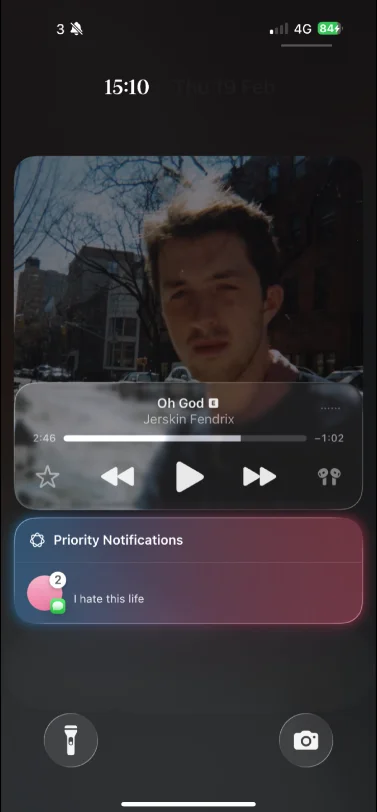
If the system detects something time sensitive or potentially urgent, it automatically elevates it to the top of your Lock Screen and Notification Centre.
In this case, the AI clearly treated the message as serious, even though it was sent jokingly.
The hidden iPhone safety feature is designed to surface messages that could signal distress, direct communication, or urgent updates, which means emotional language can sometimes trigger it.
Click the star icon next to supercarblondie.com in Google Search to stay ahead of the curve on the latest and greatest supercars, hypercars, and ground-breaking technology
How to switch it on using iOS 18.4
The tool behind it is called Priority Notifications – it acts as a smart filter, separating critical alerts from everyday noise so you do not miss something that might matter.
To turn it on, users simply head to Settings, tap Notifications, select Prioritize Notifications, and toggle it on.
Within the same menu, you can also choose which apps are allowed to use the feature, giving you full control over what gets flagged as important.
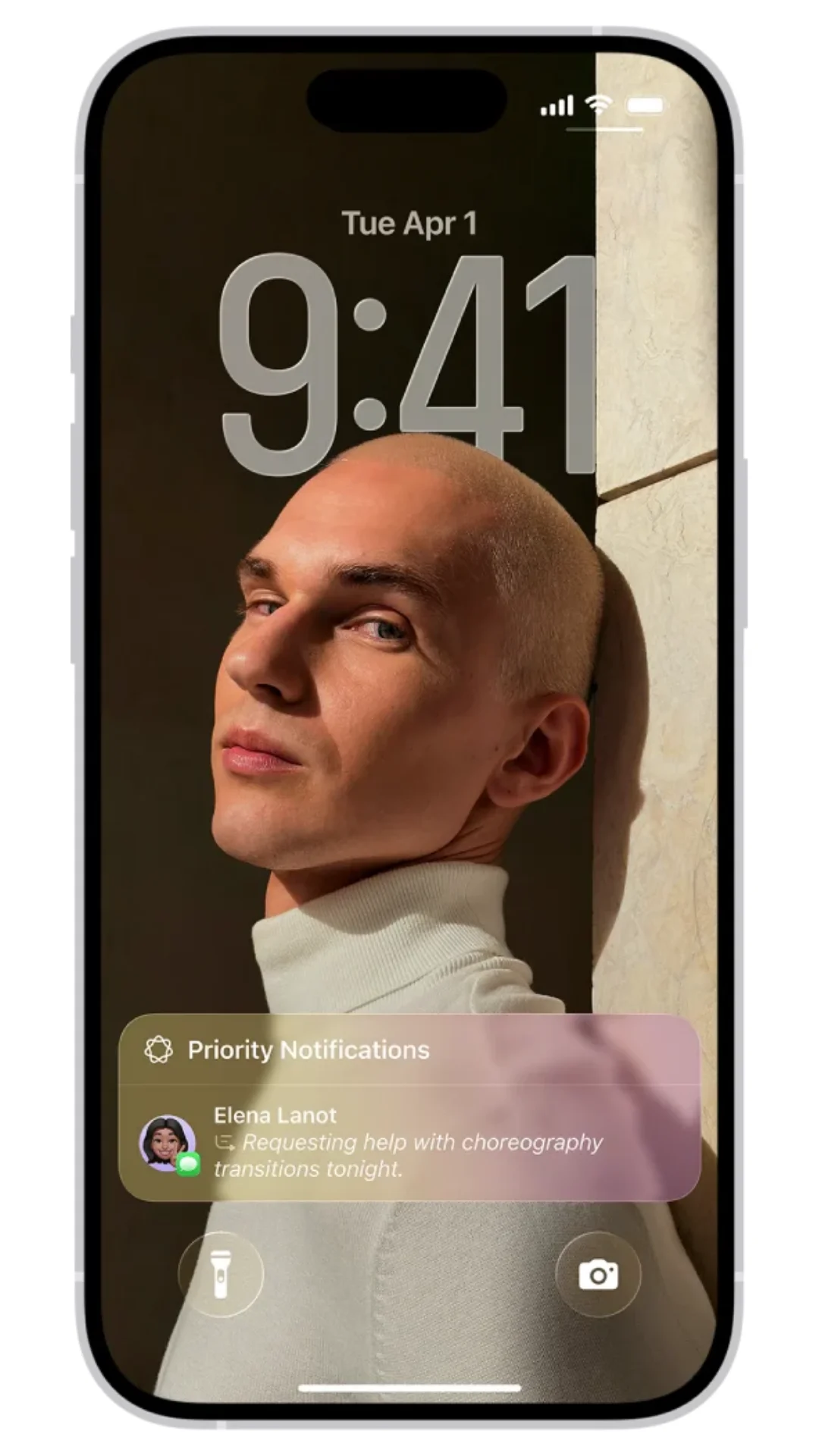
If a notification appears that you do not think deserves priority status, you can swipe left, tap Options, and turn prioritization on or off for that specific app.
It is a subtle addition, but moments like this show just how seriously Apple’s AI takes certain phrases and how little it actually understands sarcasm.
One thing is for sure: one joking text was all it took to prove that your iPhone might be paying closer attention than you think.
DISCOVER SBX CARS: The global premium car auction platform powered by Supercar Blondie