One hidden setting you can change on your iPhone to protect against it being stolen
Published on Jan 13, 2026 at 12:20 PM (UTC-5)
by Ben Thompson
Last updated on Jan 14, 2026 at 4:56 AM (UTC-5)
Edited by
Emma Matthews
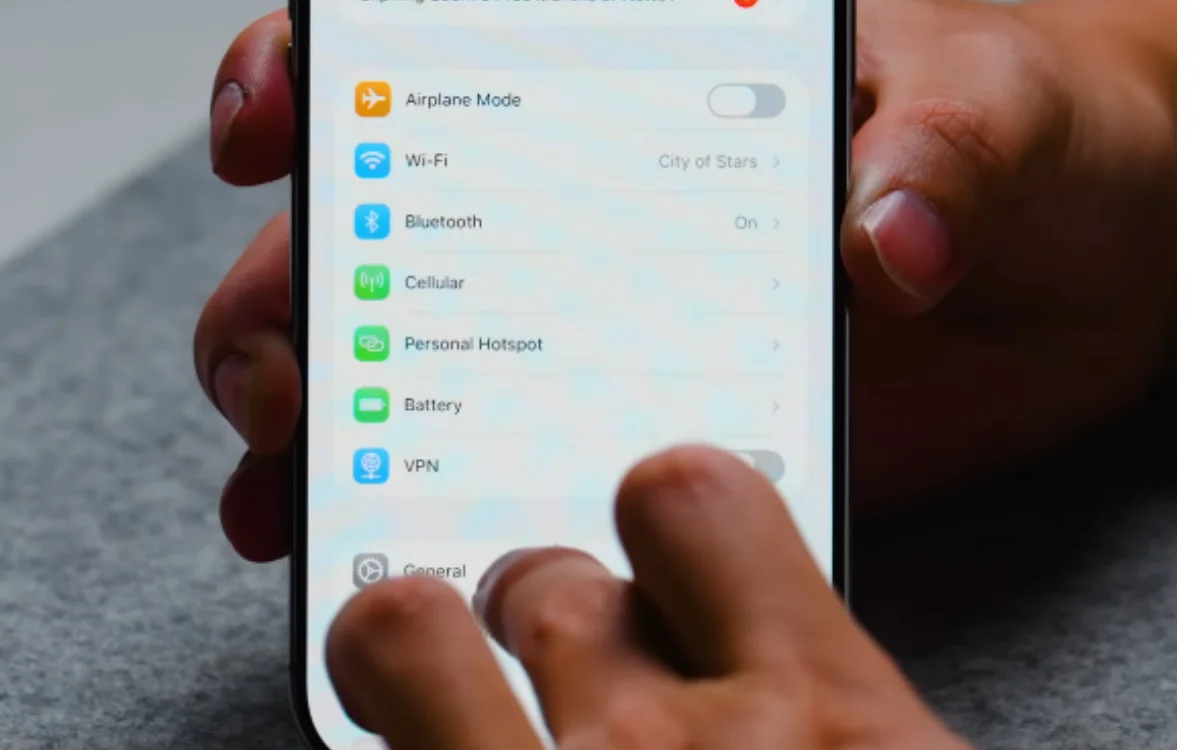

If you’ve ever worried about your iPhone being stolen, then you need to know about this hidden setting.
It’s a stressful scenario that is an unfortunate reality for some people.
Getting your phone swiped can leave you vulnerable to a whole host of issues.
But fortunately, there’s an often hidden setting that can provide an extra barrier of protection against theft.
EXPLORE SBX CARS – Supercar auctions starting soon powered by Supercar Blondie
This setting can be a game-changer if you’re worried about your iPhone being stolen
It feels like we’re all becoming more vigilant about how to use our phones safely.
Primarily, the threat is perceived to be coming from hackers, and we’ve heard a lot of tips on how to prevent them gaining access to our data.
But there’s also the risk that comes with having your phone physically stolen.
Depending on where you live, this could be a matter of constant worry.
Phone theft is a big concern in London, with The New York Times reporting that 80,000 phones were stolen in the British capital in 2024.
Cities like Paris, Madrid, and Barcelona also rank highly in phone theft figures.
If you find yourself in a position where you’re worried about your phone being stolen, here’s a setting you need to know about.
First, go into your Settings and select Face ID & Passcode.
From there, click on Allow Access When Locked and Turn off Control Centre.
By doing this, you’ll stop someone from accessing the control center without your password.
Therefore, a thief won’t be able to put your phone into Airplane Mode, which is often done straight away.
Without Airplane Mode being on, your iPhone will show up on ‘Find My Phone’ tracking.
If you watch the video at the top of this article, you can see how to access this hidden setting.


Other practical tips to know to keep your phone safe
London’s Metropolitan Police has listed out several tips on keeping your phone safe in case it gets swiped.
These recommendations include securing your phone with PINs, getting your IMEI number logged, setting up a tracking app, and turning off your message previews.
It’s also important to make sure that your data is regularly being backed up.
And if you want to get an insight into how a phone thief might operate when pulling off the perfect crime, take a look at what one told a WSJ journalist from inside prison.
It’s important to stay vigilant and educate yourself on the potential risks.
Ben joined Supercar Blondie in February 2025 after being published by international organizations including LADbible, The Sun, the New York Post, and the Daily Mail. He covers supercars, rare and collectible vehicles, aviation, luxury assets, and the fascinating people behind them. His reporting has explored everything from seven-figure supercars and historic Ferrari collections to unusual aircraft adventures and extraordinary automotive discoveries from around the world. Ben has also gained first-hand insight into vehicle craftsmanship and customization, including visiting specialist workshops to see bespoke vehicles up close.




