Claude is now in Microsoft Word and here are the most impressive features you can use
Published on Apr 19, 2026 at 10:18 PM (UTC-4)
by Daisy Edwards
Last updated on Apr 19, 2026 at 10:18 PM (UTC-4)
Edited by
Mason Jones

If you thought AI writing tools had already peaked, think again, because Claude is now in Microsoft Word and it could make document work far smoother.
Instead of switching between tabs, copying text into chat windows, and pasting everything back again, users can now access Claude directly inside Word.
That means editing, summarizing, rewriting, and reviewing can happen without ever leaving the document.
For anyone who spends hours inside Word, this feels like a serious level-up.
Claude is now in Microsoft Word and it is impressive
This will be a real game-changer for tech fans who love using Microsoft.
One of the biggest highlights is the ability for Claude to make suggested edits directly inside a document
Rather than changing everything behind the scenes, users can review what has been altered and stay in control of the final version.
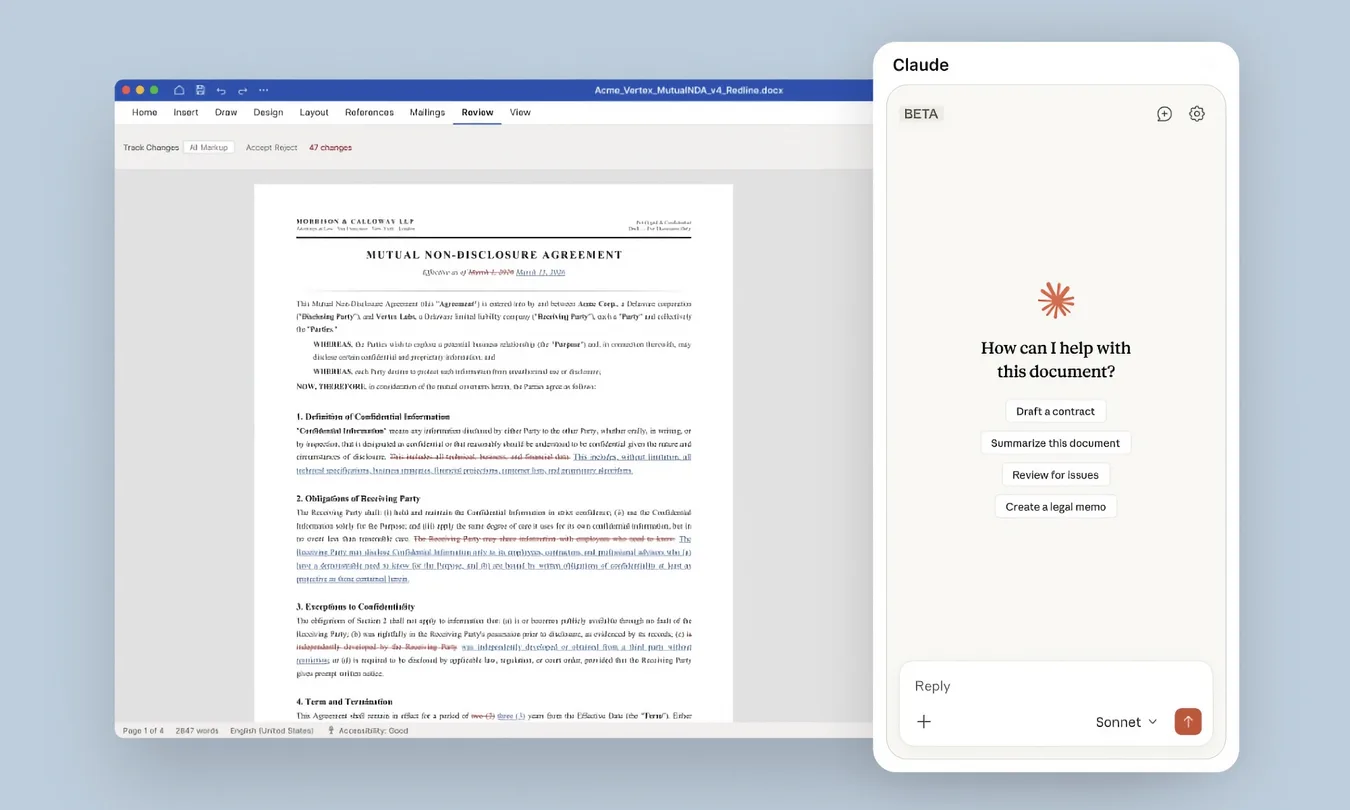
That could be a huge help for anyone polishing reports, essays, presentations, or professional documents where every word matters.
It keeps the human in charge while still speeding up the boring parts, and another major plus is that Claude can work within existing formatting.
Headings, lists, and layouts stay organized instead of being turned into a total mess after one AI prompt, and anyone who has ever had a carefully formatted document ruined will appreciate that.
Related


The features that could save hours
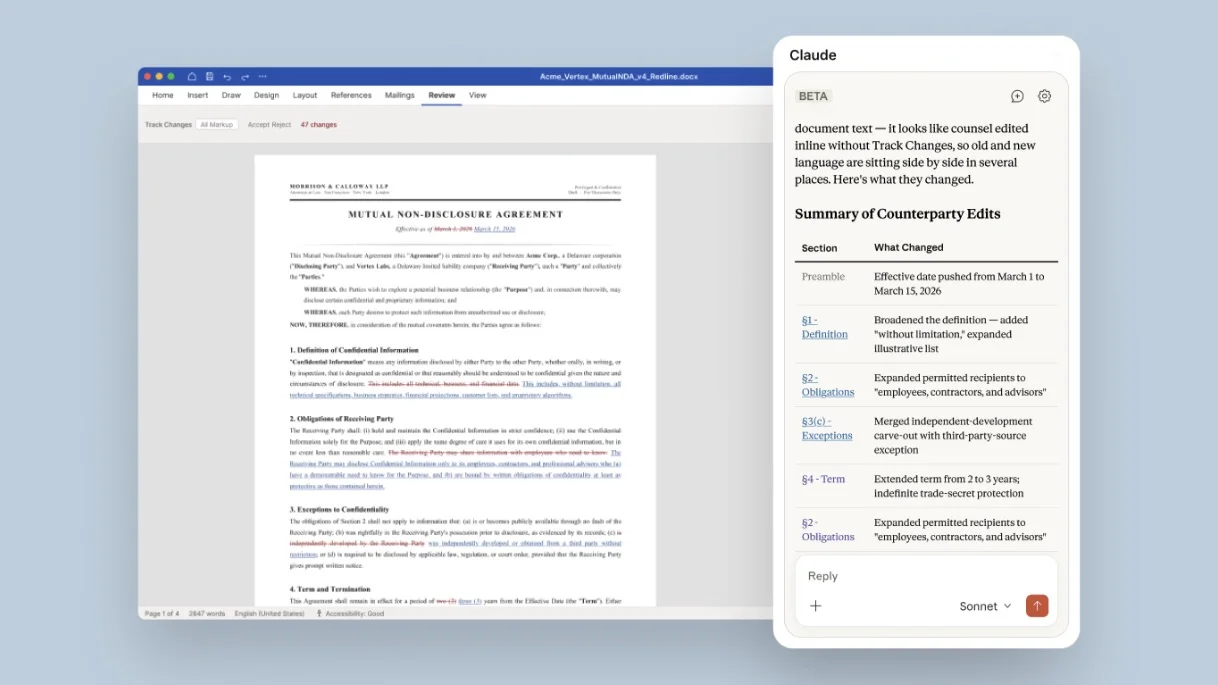
Claude can also answer questions about the document you are currently working on, so instead of manually searching through dozens of pages, users could ask for a summary, locate specific sections, or quickly check details buried deep inside the file.
It can also help tackle comments and feedback, which could be a lifesaver when opening a document covered in notes from colleagues or collaborators.
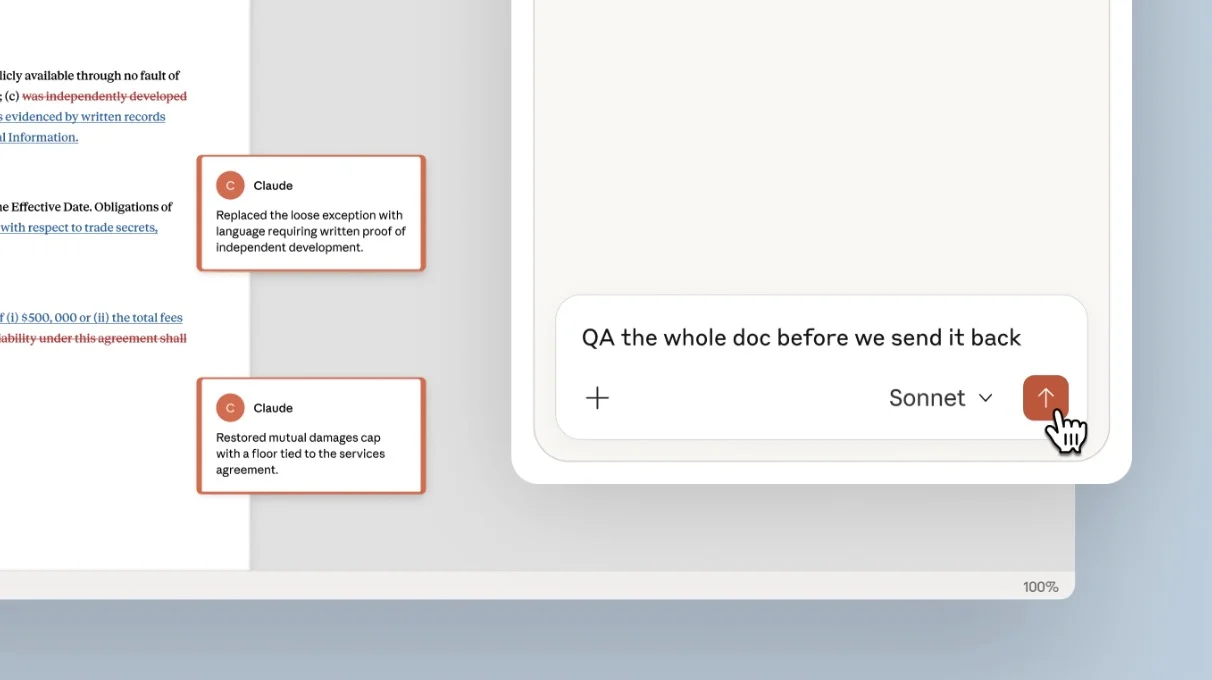
Rather than feeling overwhelmed, users can get help working through changes one by one.
The tool is launching in beta for business users first, but it gives a clear glimpse of where office software is heading.
Writing a document might soon feel less like admin and more like having an assistant sat beside you.
Daisy is a technology and automotive journalist covering artificial intelligence, consumer tech, Apple news, cryptocurrency, emerging technologies, and transportation innovation. Since joining the team in 2025, she has reported on everything from AI-powered startups and major iOS updates to viral car stories and the latest developments shaping transportation and the digital economy. Drawing on her background in automotive journalism and a degree in History and Journalism from Goldsmiths, University of London, Daisy specializes in breaking down complex topics into clear, engaging reporting for a global audience. Her work spans cutting-edge technology, innovative vehicles, and the people driving change across both industries. Daisy has gained first-hand access to some of the world's most talked-about technologies and innovators, including meeting Tesla's Optimus humanoid robot during its first European appearance in London. She has also discussed the future of space exploration with an astronaut, bringing unique insights and real-world perspectives to her coverage of emerging technology.




